
- /
- /
- /
- /
AfterSchool Class Roll
To download the After School Class Roll sheet.
Step 1 : Click on Configuration -> Type of Program.
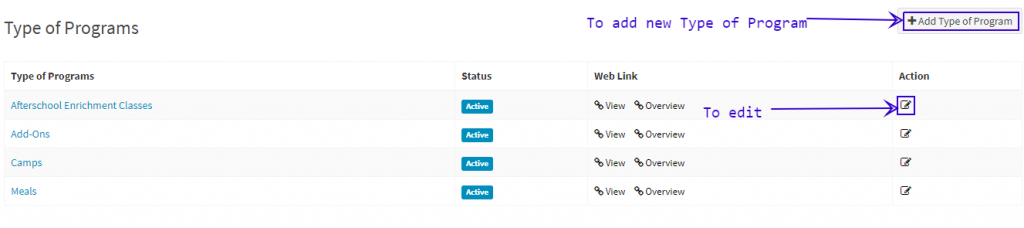
Step 2: Click on Add Type of Program to add a new one or edit Type of Program to edit the already existing one.
Step 3 : Select the check box saying is this Program Type applicable to Weekly Subscriptions. Then only the program type will be visible in the Class Roll filter.

Step 4: Click on Reports -> Click on View button corresponding to Weekly Student Class Roll.
Step 5: Select the Program Type, Location and the date from which you want to see the Class Roll sheet.

Step 6: The generated roll sheet will display all the Students who are attending on the Particular day for the class.
- The sheet is for 7 days from the date for which the sheet has been generated.
- It merges all the Class Students for the day.
- It displays the students in a Age sorting order i.e., Youngest to Oldest.
