
- /
- /
- /
Add-On Class drop without refund
- Click Transactions -> Click on any order number which has Add-On Class enrollments along with the Class.
- Click Drop button near the Add-On Class name.

- It will open a pop-up window displaying the class fee details.
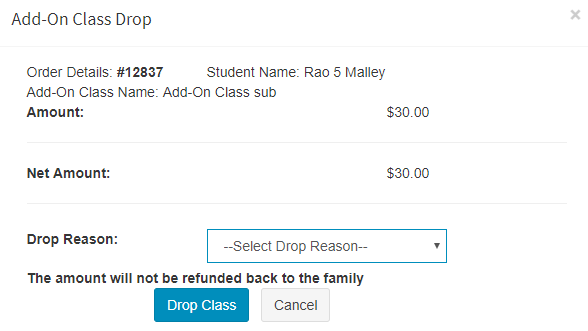
- Select drop reason and click Drop Class button